


|
Name |
TikFinity |
|---|---|
|
Google Play Link |
GET IT ON
Google Play
|
|
Category |
Tools |
|
Developer |
Streamheroes GmbH |
| Last version | 2.7.5 |
|
Updated |
|
|
Compatible with |
Android 8.0+ |
Introduction to TikFinity APK
TikFinity is a mobile app designed for TikTok creators who stream live and want more control over how their broadcasts look and sound. Built as a streaming utility tool, it adds interactive elements such as sound alerts, chat displays, and text-to-speech directly into a TikTok Live session. Everything runs from a smartphone, which makes it convenient for creators who stream without a desktop setup.
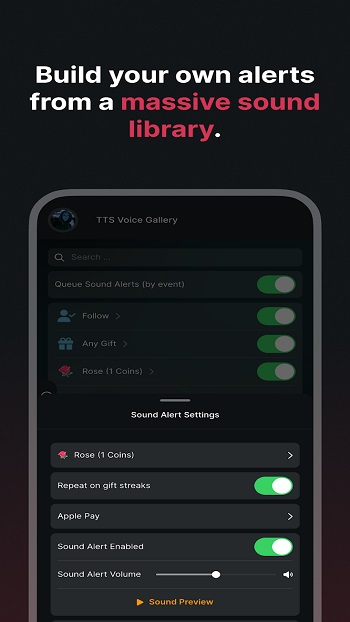
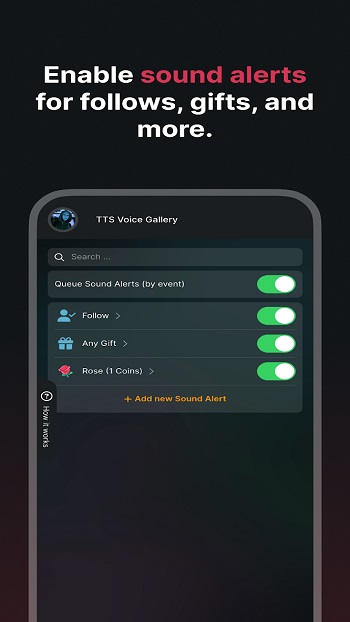
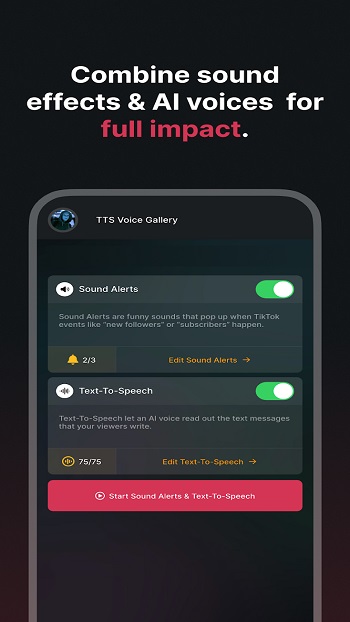
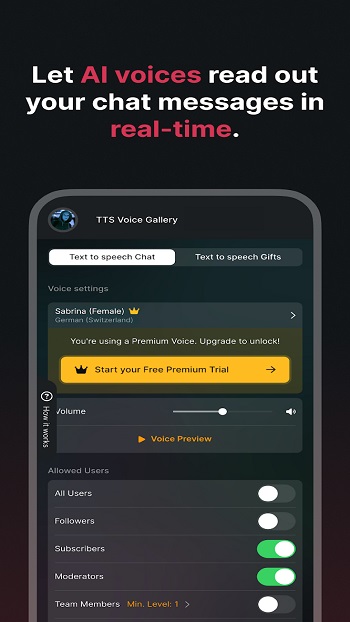
The main purpose of TikFinity is to help streamers interact with viewers in real time. During a live broadcast, the app can read chat messages aloud through text-to-speech voices, display live comments on screen, and trigger sound effects when viewers send gifts. These tools turn a simple livestream into a more dynamic conversation where the audience becomes part of the show.
One feature many creators appreciate is its live widget system. Streamers can add goal bars for coins, likes, follows, shares, or viewer counts. These bars update instantly while the stream runs, which gives viewers a clear visual goal to support. The chat widget also helps viewers follow conversations more easily, especially when a stream moves quickly.
TikFinity also runs quietly in the background. This “always on” approach allows alerts, overlays, and sound triggers to stay active even during long broadcasts. Creators can customize colors, layout, and text directly on the phone, then place those elements on the stream without switching devices or using complex streaming software.
There are clear advantages for mobile creators. Setup is simple, and the interface focuses on tools that matter during live streams. Streamers who travel or broadcast casually from their phones can add interactive features that usually require a computer. It also helps communities feel more involved since actions like sending gifts or messages trigger visible responses.
Still, there are a few limitations to consider. TikFinity requires a separate subscription for its mobile version, and settings from the desktop version do not automatically transfer. Some advanced stream setups may still prefer desktop streaming software for deeper customization. The app works best for creators who mainly stream directly from a smartphone.
TikFinity fits content creators who run TikTok Live regularly, including gaming streamers, chat hosts, and small community creators. It is especially useful for people who want alerts, chat displays, and viewer interaction tools without building a complicated streaming setup.
FAQs TikFinity
What is TikFinity used for?
+
TikFinity is a mobile streaming tool that adds interactive features like text-to-speech chat reading, sound alerts, and goal bars to TikTok Live broadcasts.
How does TikFinity improve TikTok live streams?
+
It displays chat on screen, triggers sounds for gifts, reads messages aloud, and shows live goals for likes, coins, or follows, making streams more interactive.
Does TikFinity work without a computer?
+
Yes. The mobile version runs entirely on a smartphone and can operate in the background while the TikTok livestream continues.
Can TikFinity show chat messages on a livestream?
+
Yes. The app includes a chat widget that displays TikTok Live comments on the screen so viewers can follow conversations during the stream.
Who should use TikFinity?
+
TikFinity works best for TikTok creators who stream live regularly and want tools like sound alerts, viewer goals, and chat displays without complex streaming software.
Discover More Interesting Apps
-

aShell
vv0.30
2.00 Mb
Updated -
Mod
DiskWala
v27.1
125.02 Mb
Updated -
Neon App
v2.15.0
117.15 Mb
Updated -
Mod
LTE Discovery
v7.6.32
26.71 Mb
Updated -
Mod
yw player
v1.4.4
24.03 Mb
Updated -
Screen Mirroring App
v2.1
28.89 Mb
Updated -
Mod
Ad Blocker
v7.6.17
39.00 Mb
Updated -
Mod
Nzb360
v25.2.2
14.39 Mb
Updated -
Soren VPN
v3.0
48.78 Mb
Updated -
VPN.lat
v3.9.63
40.90 Mb
Updated









Share Your Thoughts